How can I purchase coins and other items if I am in a country where Google Play or the App Store is not available?
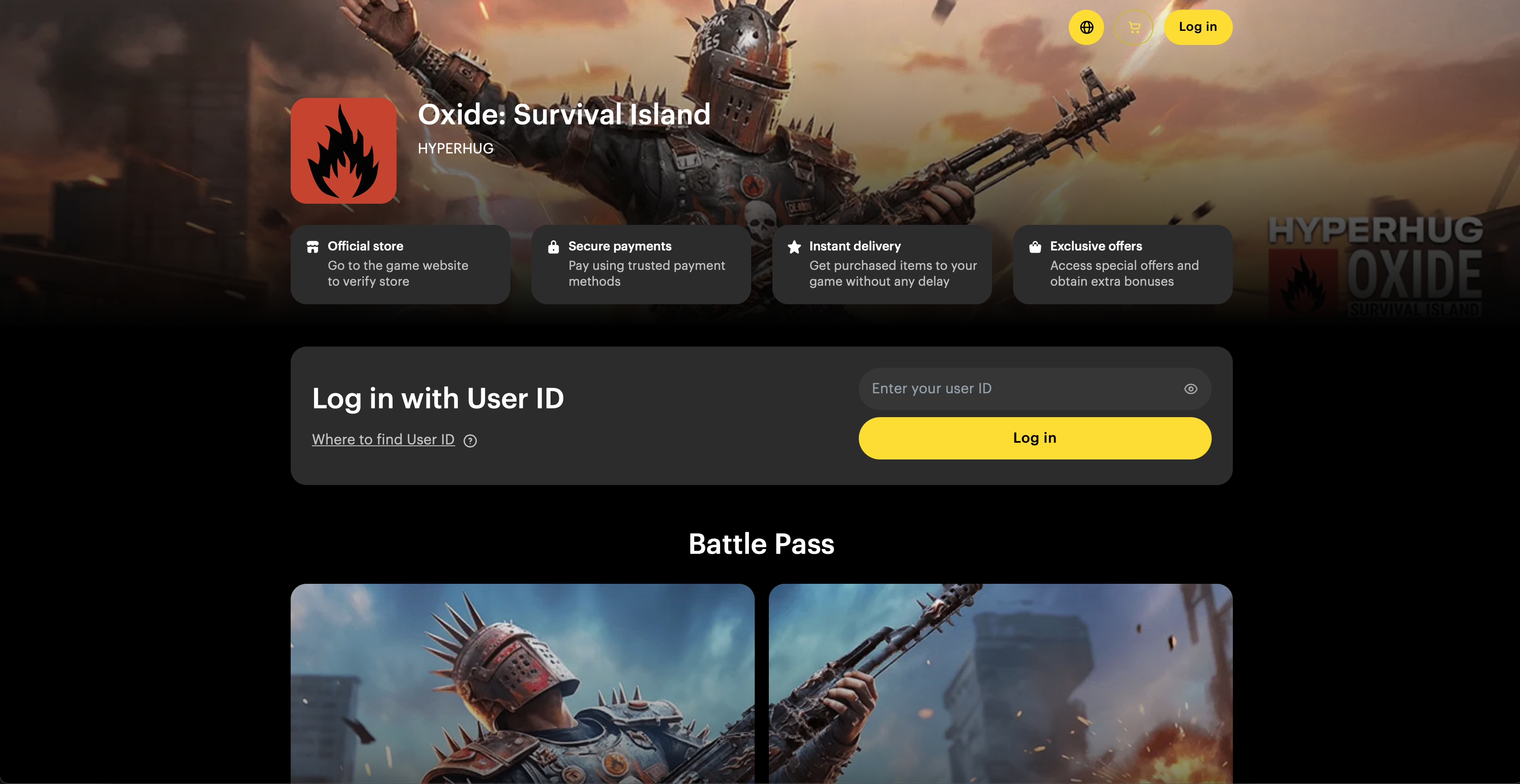
For a smooth shopping experience, we’ve created a dedicated website, accessible via the link below:
OXIDE Store - this store was made specifically to help players from Countries where purchases via Google Play or App Store are not available. You can buy coins, items, skins, and special offers for OXIDE here.
Instructions for using the OXIDE store
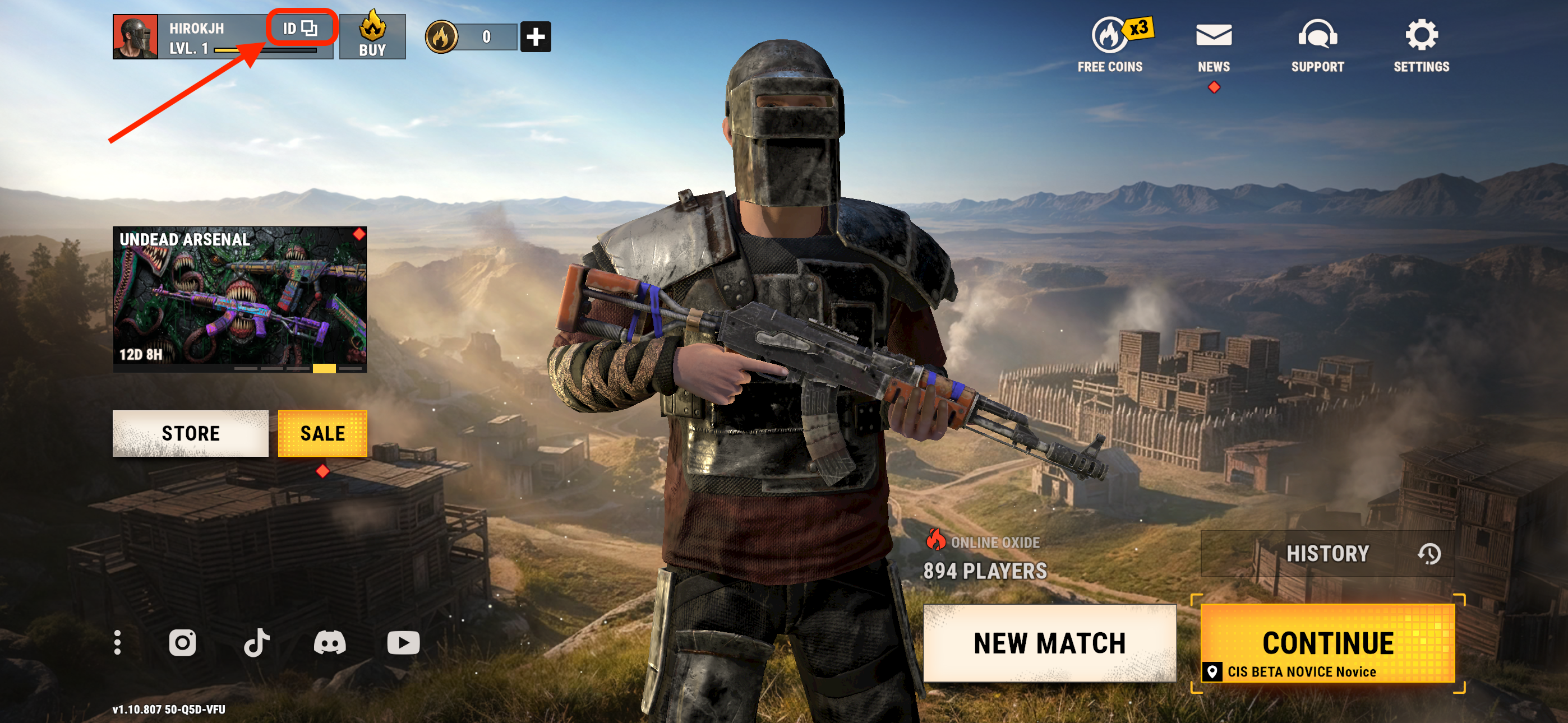
To make a purchase, you will need to use your HH ID (HYPERHUG ID), which can be found directly in the game:
It is located on the main screen in the top-left corner.
Tap the element labeled ID to copy your unique identifier.
When you tap it, the HH ID will briefly appear and then disappear. A system message will pop up at the top center of the screen to confirm that the ID has been copied.
You can also find the HH ID (Hyperhug ID) in your player profile by tapping the profile icon on the main screen. It’s hidden by default — tap the eye icon next to it to reveal and copy it.
Once you've logged in using your HH ID, any purchases made on OXIDE Store will be linked to your game account.
This means that any item, skin, or special offer bought via our store using your HH ID will be applied to your in-game account, and the purchased items will appear in-game.
Pay using any method convenient for you. After confirming the payment, the purchased item(s) will be immediately delivered to your game account.